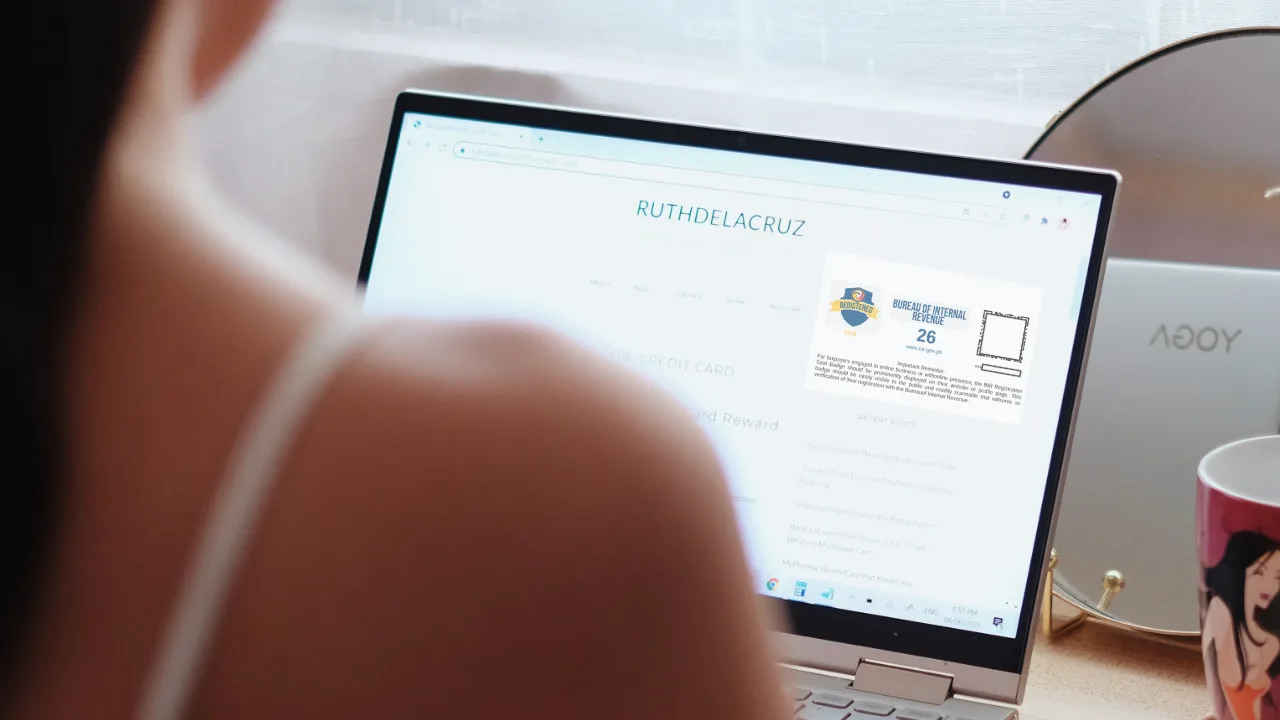
If you earn money online, you may have recently heard about the BIR Registration Seal Badge – and if you’re a freelancer, content creator, influencer, blogger, online seller, or digital entrepreneur, you may be wondering: Do I need one, and how do I get it?
I just downloaded my Certificate of Registration (COR) and BIR Registration Seal Badge through ORUS, and I’m sharing the step-by-step process here so you can do it yourself without having to visit your Revenue District Office (RDO).
I just want to always be compliant – it must be the former corporate girlie in me and my discipline. 😂 So just indulge me.
The process can be confusing, however, especially because there are now different ORUS procedures depending on whether your BIR registration information needs to be updated.
Here’s a step-by-step guide on how to get the BIR Registration Seal Badge online via ORUS, including what the badge is, who needs it, how much it costs, and where you need to display it.
What Is the BIR Registration Seal Badge?
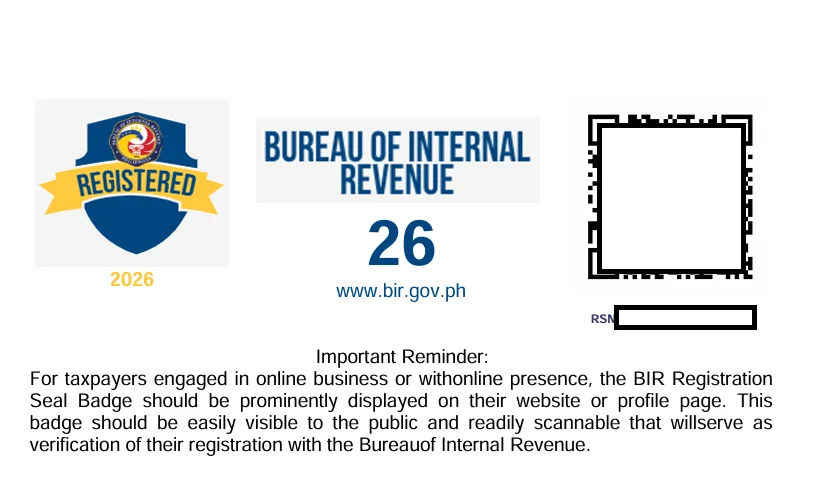
The BIR Registration Seal Badge is a digital badge issued by the Bureau of Internal Revenue that serves as proof that an online business or taxpayer is registered with the BIR.
It is designed to be displayed on your:
- Website
- Online store
- E-commerce or marketplace seller page
- Social media business page
- Mobile application
- Other online platforms where you conduct business
The badge was introduced under Revenue Memorandum Circular (RMC) No. 38-2026 to address a practical problem: posting your entire BIR Certificate of Registration (COR) online can expose information that you may not want publicly available.
Instead, the Registration Seal Badge provides a more appropriate way to show that your business is registered. Its QR code can be scanned to verify the authenticity of the registration and the taxpayer’s current registration status.
Who Needs a BIR Registration Seal Badge?
You may need to display the badge if you conduct business or earn income through digital or electronic platforms.
The BIR specifically includes people such as:
- Online sellers and merchants
- Bloggers
- Vloggers
- Live streamers
- Content creators
- Influencers
- Online service providers
- Professionals offering services online
- Individuals earning from online views
- People earning from advertisements
- Affiliate marketers
- Individuals earning from brand sponsorships
- Other businesses conducting transactions through digital platforms
What Is the Difference Between the BIR COR and Registration Seal Badge?
Your Certificate of Registration (COR) and your Registration Seal Badge are not the same document.
The COR contains your BIR registration details. The Registration Seal Badge is intended to be displayed publicly online instead of exposing the entire COR.
Both can contain a QR code that allows the registration information to be verified online.
COR/eCOR = your registration document
Registration Seal Badge = the document that you need to publish on your platform as an online proof of registration
The badge is particularly useful for online businesses because you don’t have to publicly upload your complete registration certificate.
How to Get the BIR Registration Seal Badge Online via ORUS
The process depends on whether your existing BIR registration information needs to be changed.
Step 1: Log in to ORUS
Go to the official BIR Online Registration and Update System:
Log in using your ORUS account.
If you don’t have an ORUS account yet, you’ll need to create one before you can use the online process. When registering, make sure that you use the same email address that you input during your business registration process in BIR / RDO.
Step 2: Synchronize Your Registration Record
Once logged in:
- Go to your Profile page.
- Look for the Synchronize button.
- Click Synchronize to update your registration record in ORUS.
This step is particularly important for existing taxpayers whose BIR registration predates the current ORUS process.
Note that the process based on BIR requires payment for Php 30 for Documentary Stamp. When I processed it online, there was no prompt to settle this amount. The Seal Badge is FREE but the Php 30 fee is for Documentary Stamp.
Step 3: Go to “Certificates and Permits”
After synchronizing your registration record, proceed to the Certificates and Permits section in ORUS.
This is where you can access your updated registration documents. If the COR didn’t load, log out and log back in to the ORUS site.

Step 4: Download Your QR-Enabled COR and Registration Seal Badge
ORUS will allow you to download your latest Certificate of Registration with QR code together with the Registration Seal Badge.
Step 5: Post the Registration Seal Badge Online
Once you have generated your badge, you need to display it where customers can easily see it; or in the case of content creators and bloggers, display it on your platform.
The BIR allows taxpayers to extract or crop the badge itself rather than uploading the entire certificate. The badge should remain clear, readable, and unaltered.
How to Verify a BIR Registration Seal Badge
The Registration Seal Badge contains a QR code that can be scanned using a QR scanner or mobile device.
The QR code allows customers, platforms, financial institutions, government agencies and other relying parties to verify the registration information.
What Is the Deadline for the BIR Registration Seal Badge?
As of October 2026, covered taxpayers have until October 31, 2026 to comply with the display requirement without penalties arising solely from the non-display during the extended compliance period.
The extension was provided under RMC No. 99-2026.
If you haven’t secured yours yet, don’t wait until the final day.
ORUS transactions, payment processing, registration updates and other system-related issues can take time. Getting the badge early also gives you an opportunity to check whether your registration details need correction.
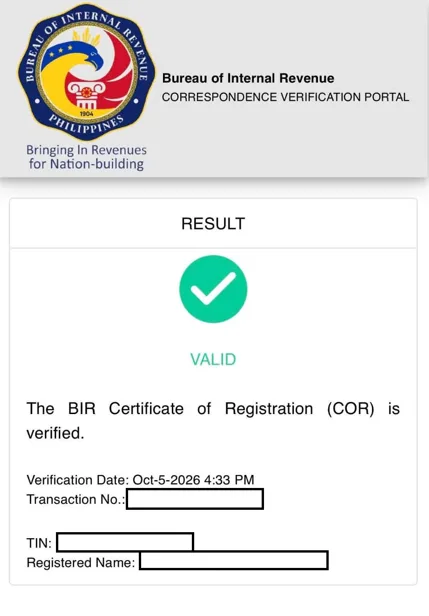
The result when clients scan the QR code
Frequently Asked Questions
Is the BIR Registration Seal Badge free?
Yes. The BIR Registration Seal Badge itself is issued free of charge. However, a Php 30 Documentary Stamp Tax applies to the certificate generated/updated as part of the process.
Can I get the BIR Registration Seal Badge online?
Yes. Existing taxpayers can generate the badge through ORUS. If your registration information has no changes, RMC No. 64-2026 provides a synchronization route that allows you to proceed to Certificates and Permits and obtain the QR-enabled COR and badge.
Do content creators need a BIR Registration Seal Badge?
Content creators can be covered by the requirement when they earn through online activities such as views, advertisements, affiliate commissions, brand sponsorships and similar monetized digital activities. The BIR specifically identifies bloggers, vloggers, live streamers, content creators and influencers among those covered.
Do I need to post my entire BIR Certificate of Registration online?
No. The Registration Seal Badge is designed to serve as the public-facing proof of registration. The BIR allows taxpayers to extract or crop the badge rather than posting the entire registration document, provided the badge remains clear and unaltered.
What is the deadline to display the BIR Registration Seal Badge?
The current extended compliance deadline is October 31, 2026, under RMC No. 99-2026.
I hope you find this helpful! Follow @ruthilicious for more stories!